We shipped a structural update to Nexus OMAS this week, and it is the kind of change we think is worth explaining rather than just listing in release notes. We collapsed three overlapping concepts into one. The platform now has a single answer to a question that used to have three: what is a project?
The problem we built for ourselves
Nexus grew fast, and fast-growing software accumulates near-duplicates. Until this week, the word “project” meant three different things inside our own product:
- In the Knowledge Base, a “project” was a digested document.
- The Company Library was a second door into the same document pile, filtered by an invisible flag.
- Case Studies held the actual client engagements, with budgets, dates, and outcomes, but knew nothing about the documents or the transactions that belonged to them.
Each screen made sense in isolation. Together they made the platform harder to explain than the work it manages. A contract PDF, the invoice it produced, and the case study it would one day become lived in three unconnected places, even when they described the same engagement.
There was a second cost, and it is the one that pushed us to act: the AI agents inherited the confusion. An assistant can only be as coherent as the data model underneath it. When “the Acme project” is not a real object in the system, “summarize the Acme project” is not a real question the AI can answer precisely.
The decision
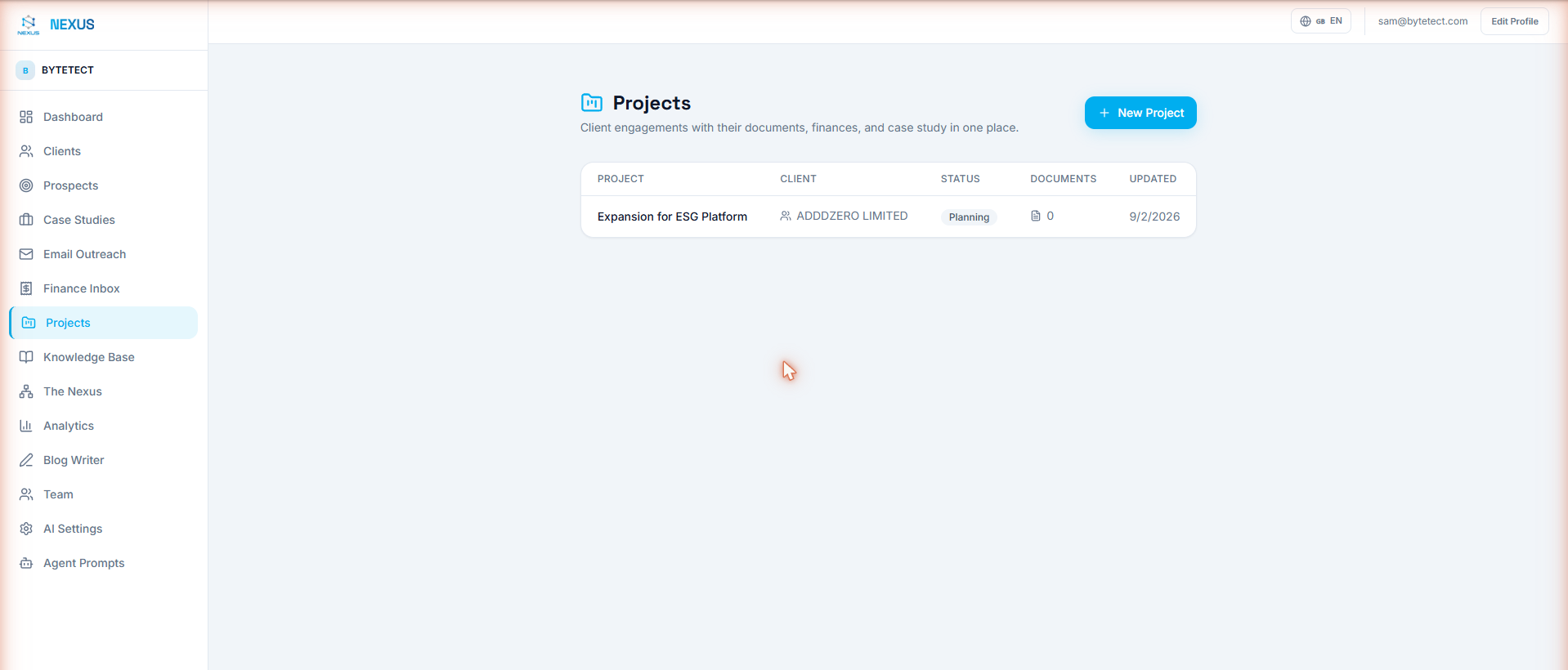
We made the engagement the atomic unit of the platform. A project in Nexus is now one record that owns four things: a client, the documents of the work, the transactions that fund it, and the case-study narrative it becomes. Company Library folded into the Knowledge Base as a filter. Case Studies folded into Projects as a tab. Two navigation entries disappeared, and nothing of value went with them.
What it looks like now
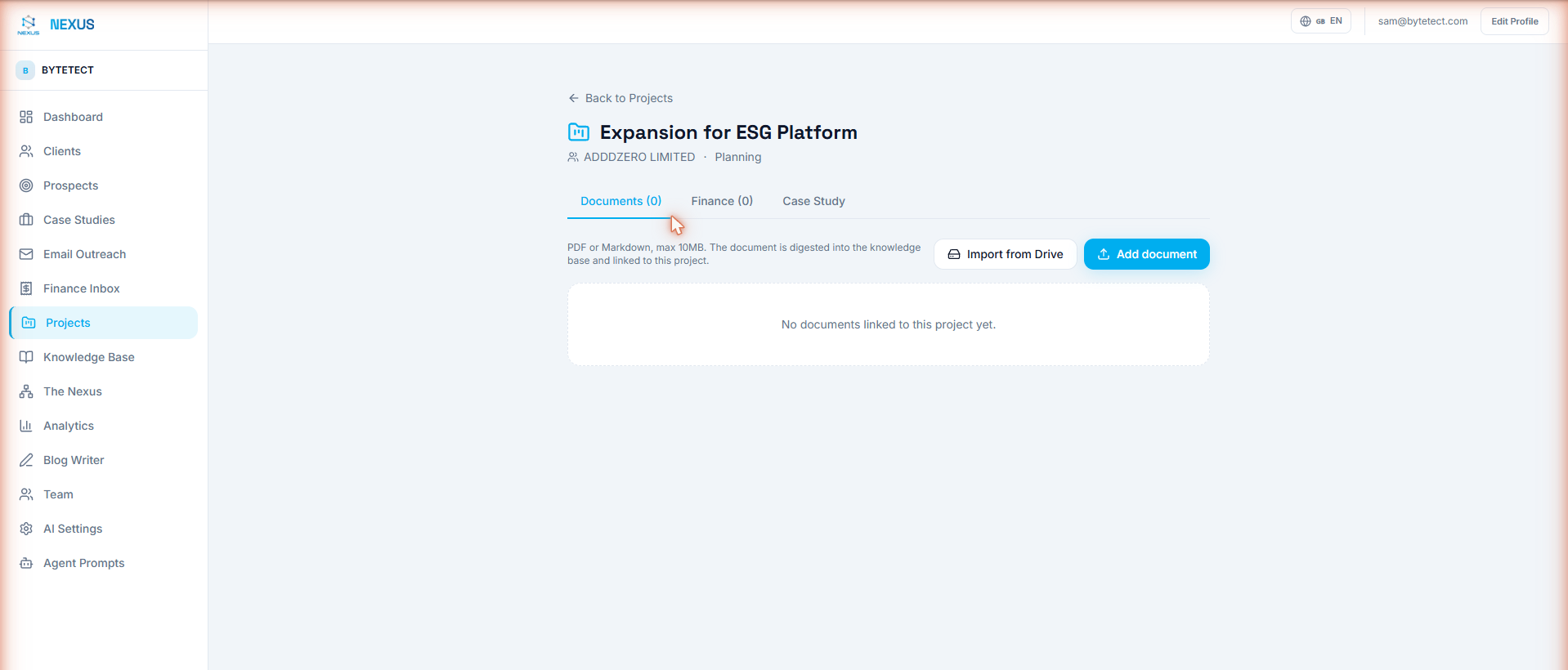
Every project page has three tabs that used to be three products:
- Documents: upload files directly, or pull a whole Google Drive folder in, subfolders included. A watched folder keeps feeding the project automatically every fifteen minutes. Details in the Drive integration guide.
- Finance: the transactions linked to the engagement, with income, expenses, net, and expected budget side by side. Every number traces back to a source document through the Financial Inbox.
- Case Study: what was delivered, services, industry, outcomes, and dates, filled in while the work happens instead of reconstructed months later.
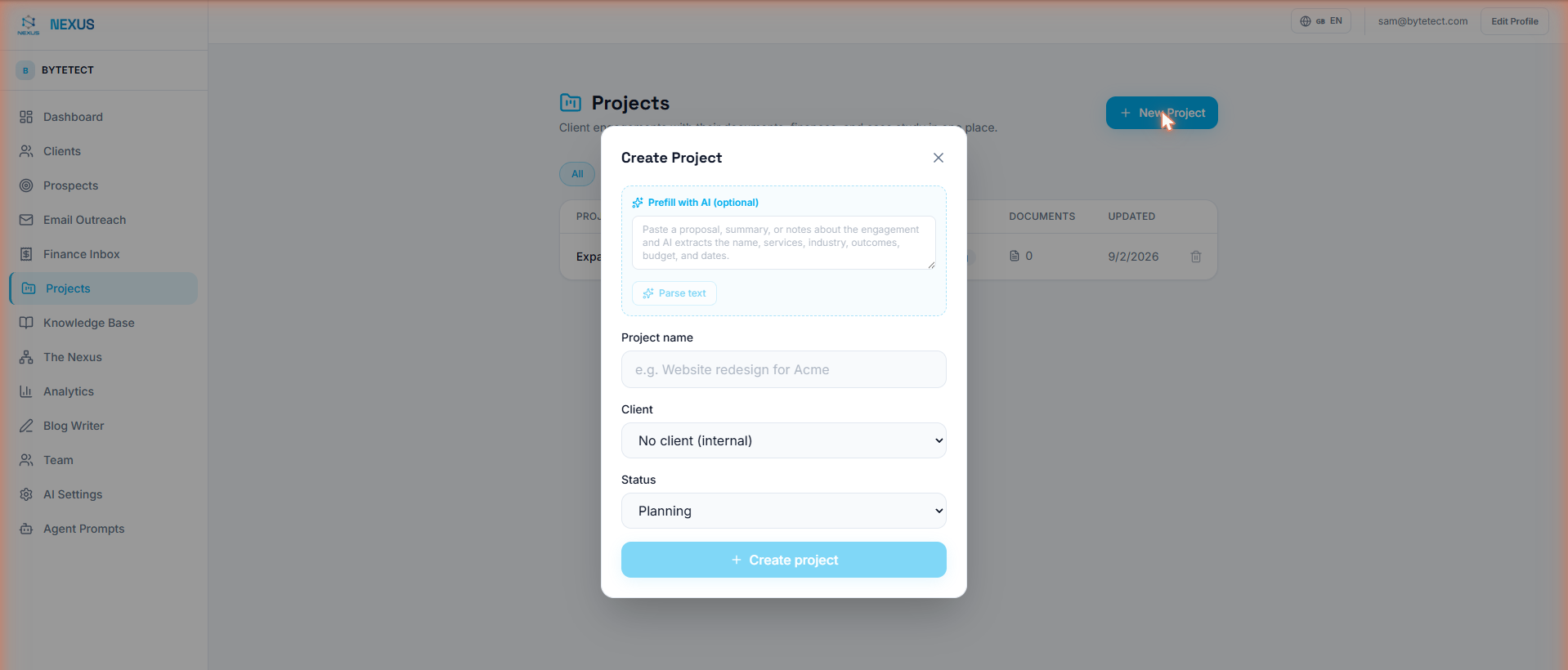
Creating a project got smarter too. Paste an old proposal, a scope document, or messy notes into the new project dialog and the AI extracts the name, services, industry, outcomes, budget, and dates for you to review:
Why this matters more than a cleaner menu
The visible benefit is one mental model instead of three. The deeper benefit is what it does for the AI.
Because every document now carries its project, the agents can scope themselves. Ask “what does the knowledge base say about the Acme redesign?” and the search runs only over Acme’s documents, not the whole corpus. Tell the chat to “import my Contracts folder from Drive into the Acme project” and the approval card names the target before anything runs. Project profitability stops being a spreadsheet exercise because the money and the work finally share an address.
This is the thesis we keep returning to on this blog: most AI disappointment is not a model problem, it is a context problem. We wrote about it in The End of the Chat Wrapper: an assistant bolted onto fragmented data can only ever chat. An assistant standing on a data model that mirrors how the business actually thinks can act. Restructuring the schema was AI work as much as it was UX work, the same way keeping autonomous agents under control is architecture work before it is prompt work.
What existing users need to know
Everything you used still exists; it just has one address now:
| Before | Where it lives now |
|---|---|
| Company Library page | Knowledge Base, behind the “Company library” filter |
| Case Studies page | Projects, on each project’s Case Study tab |
| Documents with no home | Documents linked to their project (or general knowledge) |
| Profitability spreadsheets | The project’s Finance tab, computed from the ledger |
- Nothing was deleted. Case studies are the same records, now living at Projects with their documents and finances around them.
- Old links keep working: the Case Studies page redirects to Projects, and internal reference documents are one filter click away in the Knowledge Base.
- Existing documents can be linked to projects from the digest dialog, and everything new lands linked from day one.
See it yourself in three steps
- Open Projects in Nexus and create one; paste an old proposal into the AI prefill and watch the fields fill themselves.
- Click Import from Drive on its Documents tab and point it at the engagement’s folder.
- When digestion finishes, ask the chat to summarize the project and get an answer scoped to exactly that work.
If you want the practical walkthrough, the Projects guide covers the full workflow in five minutes, and Getting Started covers everything before it. And if your own platform has three names for the same thing and an AI that cannot tell them apart, that is a conversation we enjoy.
Deploy Nexus OMAS in your organisation.
A 30-minute architecture briefing, we map your data landscape and tell you honestly whether OMAS is the right fit.