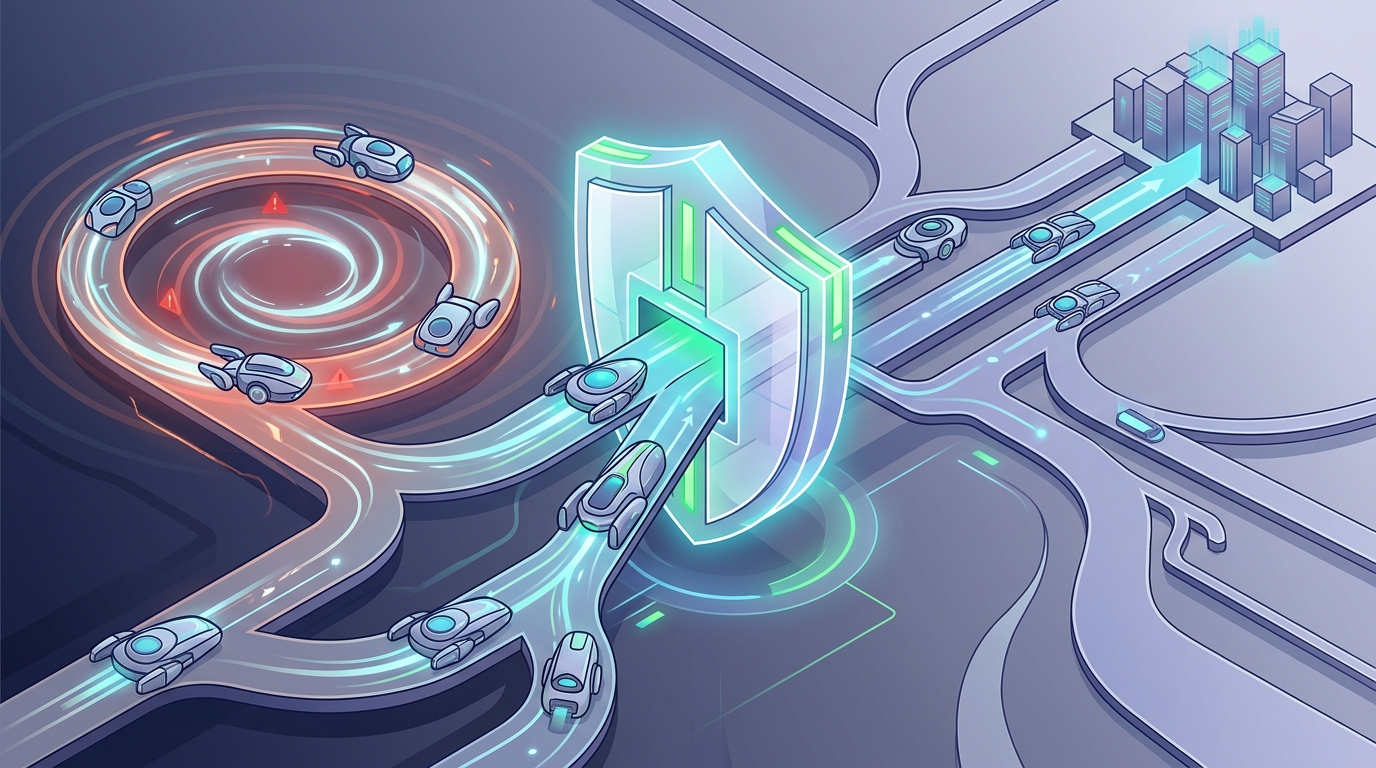
Autonomous AI agents are supposed to save you time. But anyone who has shipped a real multi-agent system knows the failure mode that keeps engineers up at night: the agent that never stops. It plans, it critiques, it revises, it re-plans — churning in circles while your API bill climbs and no useful output ever lands.
This is the infinite loop problem, and in production it is not a rare edge case. It is the default behaviour you have to actively engineer against.
At ByteTect, our Nexus OMAS platform runs orchestrated teams of agents built on LangGraph. Here is how we stop those agents from spiralling — using a layered, defense-in-depth approach rather than a single fragile safeguard.
Why autonomous agents fall into loops
A traditional chatbot can’t loop — it answers once and stops, because a human drives every step. An autonomous agent is different by design. It sets its own goals, calls its own tools, evaluates its own work, and decides its own next move. That autonomy is exactly what makes it powerful. It is also exactly what lets it get stuck.
Three loop patterns show up again and again in LangGraph systems:
- Reasoning loops — the agent keeps “thinking” about a problem without converging on an answer.
- Tool-call loops — the agent repeatedly invokes the same tool (a search, a database query) expecting a different result.
- Review-and-revise loops — a “critic” agent and a “solver” agent bounce a draft back and forth forever, each revision no better than the last.
Left unchecked, every one of these has the same three business costs: wasted spend (each loop is more tokens and more API calls), broken latency (the user waits, and waits), and eroded trust (a system that sometimes hangs is a system people stop using).
Defense in depth: five layers, not one switch
The mistake most teams make is relying on a single loop guard. If that one check has a blind spot, the whole system runs away. Nexus OMAS instead stacks five independent layers, each catching what the others might miss.
Layer 1 — A hard ceiling the engine enforces
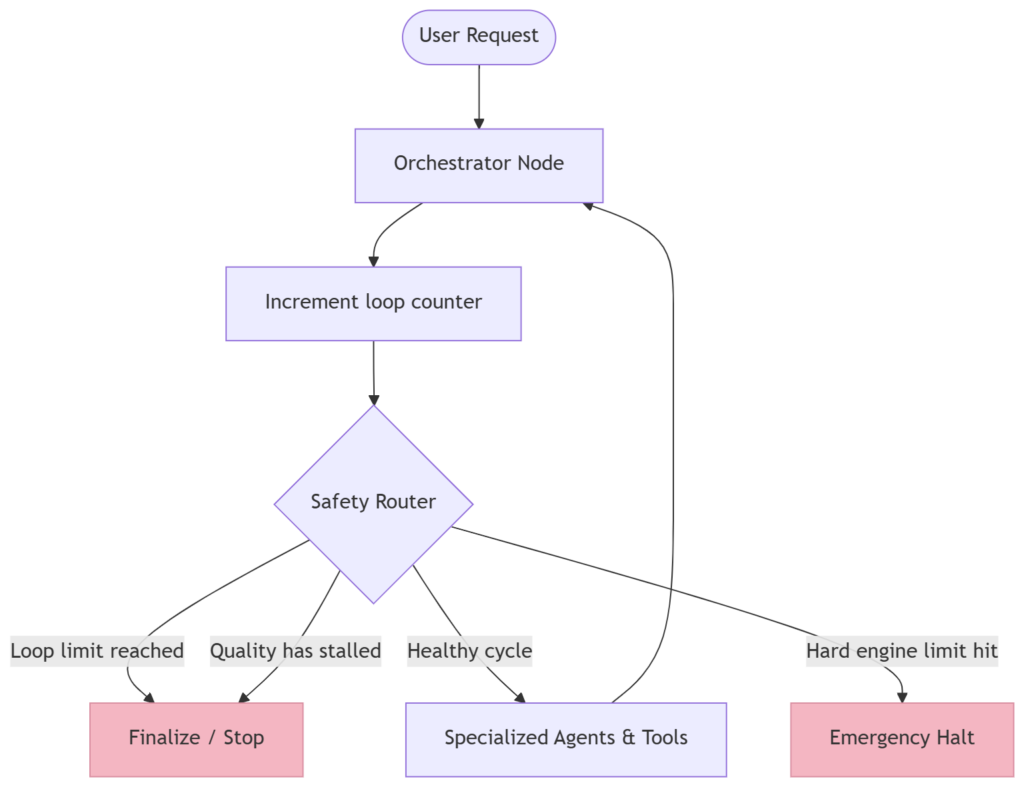
The outermost safety rail is a strict step limit built into the LangGraph runtime itself. No matter what the agents decide to do, the engine will not run more than a fixed number of steps before it stops everything.
In Nexus OMAS, live chat sessions are capped at 25 steps. If a workflow ever reaches that ceiling, execution halts immediately. Think of it as the circuit breaker in your home: you hope it never trips, but you would never run the house without it. It guarantees that a runaway agent can never quietly drain your token budget or hold a user hostage indefinitely.
Layer 2 — Counting the loops, not just catching the crash
A hard crash-stop is a blunt instrument. A well-behaved system should recognise it is looping before it slams into the engine limit — and exit gracefully with the best answer it has so far.
So Nexus OMAS keeps its own counter in the workflow’s shared state. Every time the Orchestrator (the “manager” agent that coordinates the others) completes a planning cycle, the counter ticks up. A routing gatekeeper checks that count after every cycle:
Complex research workflows are allowed up to 15 orchestration loops before the system finalises whatever it has produced. Simpler workflows use a much tighter cap — as few as 3 loops — before handing control to a human instead of trying again.
The result is a system that stops deliberately and cleanly, routing to a polished final answer rather than an error page.
Layer 3 — Knowing when “more thinking” has stopped helping
Some loops stay comfortably inside the step limits but still add no value. The classic example is a critic and a solver trading a draft back and forth, each pass scoring the work the same — say, a 6 out of 10 — over and over. The system is busy, but it is not improving.
Nexus OMAS watches for exactly this. A stagnation check looks at the last few quality scores, and if they have flatlined — identical results across consecutive revisions — it concludes that further iteration has hit diminishing returns. Rather than burn another five loops for no gain, it stops and either finalises the work as-is or escalates it to a person. This is the difference between an agent that is working and an agent that is merely busy.
Layer 4 — Keeping a human on the loop
Full autonomy does not mean zero oversight. Nexus OMAS is built around a human-on-the-loop model: the system runs independently, but pauses at critical decision points and whenever it detects it may be stuck.
When that happens, the platform surfaces a simple prompt in the dashboard. A team member can inject feedback, approve a direction, or raise the priority of a task to steer the agents out of a rut — without ever touching code. The human is not a bottleneck in every step; they are a safety valve for the moments that actually need judgement.
Layer 5 — Making every loop visible
You cannot manage what you cannot see. The final layer is observability: Nexus OMAS streams live telemetry from every workflow — which iteration it is on, the latest quality score, and how close it is to its limits.
That telemetry drives a real-time view in the dashboard, so both our engineers and the end user can watch an agent’s progress and see exactly where it sits in its cycle. Loops stop being a mysterious hang and become a visible, measurable state you can act on. (It is the same streaming philosophy behind how we surface an agent’s internal reasoning to users.)
The design principles that prevent loops in the first place
Guards catch problems. Good architecture avoids them. Two principles keep Nexus OMAS stable as it grows:
Keep a clean star topology. Every specialised agent reports back to the central Orchestrator rather than calling other agents directly. That single rule prevents the tangled, unpredictable routing webs where the nastiest loops breed.
Cap local loops, too. Any tool or node that runs its own internal loop gets a tight local limit — typically five to eight iterations — so a single component can never run away before control returns to the main graph.
Why this matters for your business
Reliability is not a feature you bolt on at the end of an AI project — it is the foundation the whole thing stands on. A multi-agent system that occasionally loops forever is not a minor bug; it is a system your team will quietly stop trusting, and an invoice you cannot predict.
Layered loop control is what turns an impressive demo into infrastructure you can actually run. It is the difference between an AI system that usually works and one you are willing to put in front of clients. That reliability-first mindset is the same one behind our deterministic approach to agent math and everything else we build into Nexus.
Let’s build something reliable together.
If your team is exploring autonomous agents and worried about exactly these failure modes, that is the right instinct — and the right time to talk. Book a free 30-minute consultation and we’ll walk through how a production-grade multi-agent architecture would look for your use case.
Frequently asked questions
They happen when autonomous agents set their own next actions and never reach a stopping condition — repeatedly reasoning, re-calling tools, or bouncing drafts between a solver and a critic. Because the agents, not a human, decide each step, a workflow can cycle indefinitely unless you engineer explicit limits.
A recursion (or step) limit is a hard ceiling on how many steps a workflow can run. When the graph hits it, the engine halts execution immediately. It is a last-resort circuit breaker that guarantees no workflow can run forever, even if every other safeguard fails.
Yes. The key is layering. Hard limits act as a backstop, while smarter checks — loop counters and stagnation detection — let the system stop early and gracefully as soon as it stops making progress, so you avoid wasted work without cutting off genuinely productive reasoning.
It is a model where AI agents run autonomously but pause for human input at critical points or when they may be stuck. The person is not required for every step; they act as a safety valve and decision-maker for the moments that need judgement.
Deploy Nexus OMAS in your organisation.
A 30-minute architecture briefing, we map your data landscape and tell you honestly whether OMAS is the right fit.